
Relieving System Pressure When Shutting Down a G-Series Temperature Control Unit
- FYI #335
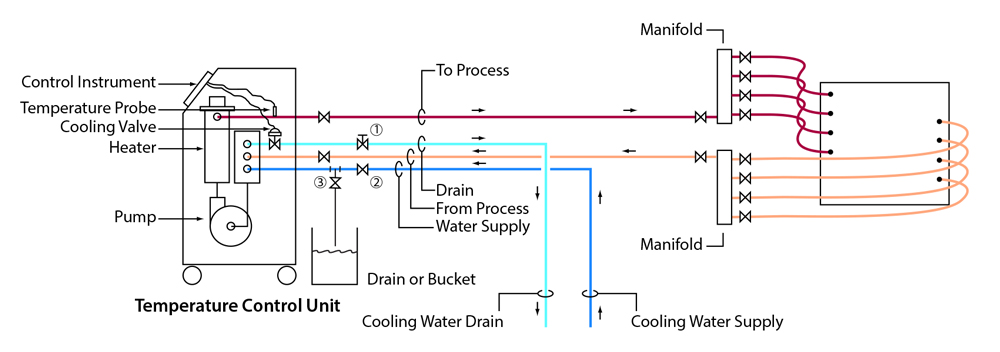
Relieving system pressure when shutting down your mold temperature control unit with the Advantage G-Series Microprocessor Instrument follow these steps.
- Turn set point to 85°F and let system cool.
- Once cool, turn unit off.
- Close valves 1 & 2.
- Carefully open valve 3 to relieve system pressure to open drain or bucket.
- Caution, there will be residual pressure in the pipe between valve 2 and the cooling valve.
- To relieve this pressure, manually open the AVT cooling valve by following the directions in the manual vent section the manual.
Download the PDF document
Download PDF