
Aquavar CPC Pump Variable Speed Drive Instructions to Setup Two or More Communicating Drives
- FYI #316
Step 1
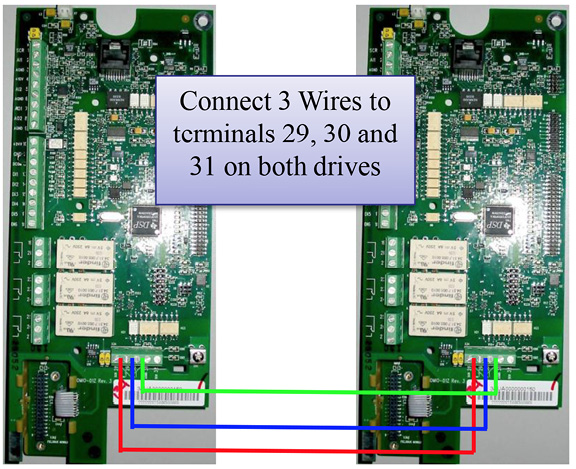
- Recommended 22 AWG shielded cable.
Step 2
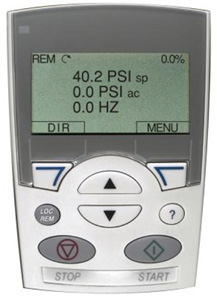
On the Keypad of the first drive … Go to
- Menu
- Parameters
- Group 11
- Parameter 1102 (Application Macro)
- Change to: Multicontrol
Step 3
Repeat Step 2 on the second drive.
On the second drive:
- Exit out to Groups
- Go to Group 22
- Parameter 2207 (Pump Address)
- Change Value to: 2
Notes :
- Repeat Steps 3 & 4 for (up to 2) drives as needed.
- These simple instructions are in addition to the basic wiring and programming used for setting up individual drives.
- For expanded detail Aquavar CPC setup and capabilities, refer to IM167, Aquavar CPC instruction and operation manual.
- Information provided by Xylem. Click for more information
Download the PDF document
Download PDF